

Unified analytics.
Real-time visibility.
Purpose-built analytics and observability for notifications. Measure engagement across every channel. Debug issues in seconds. Take the guesswork out of notification performance.
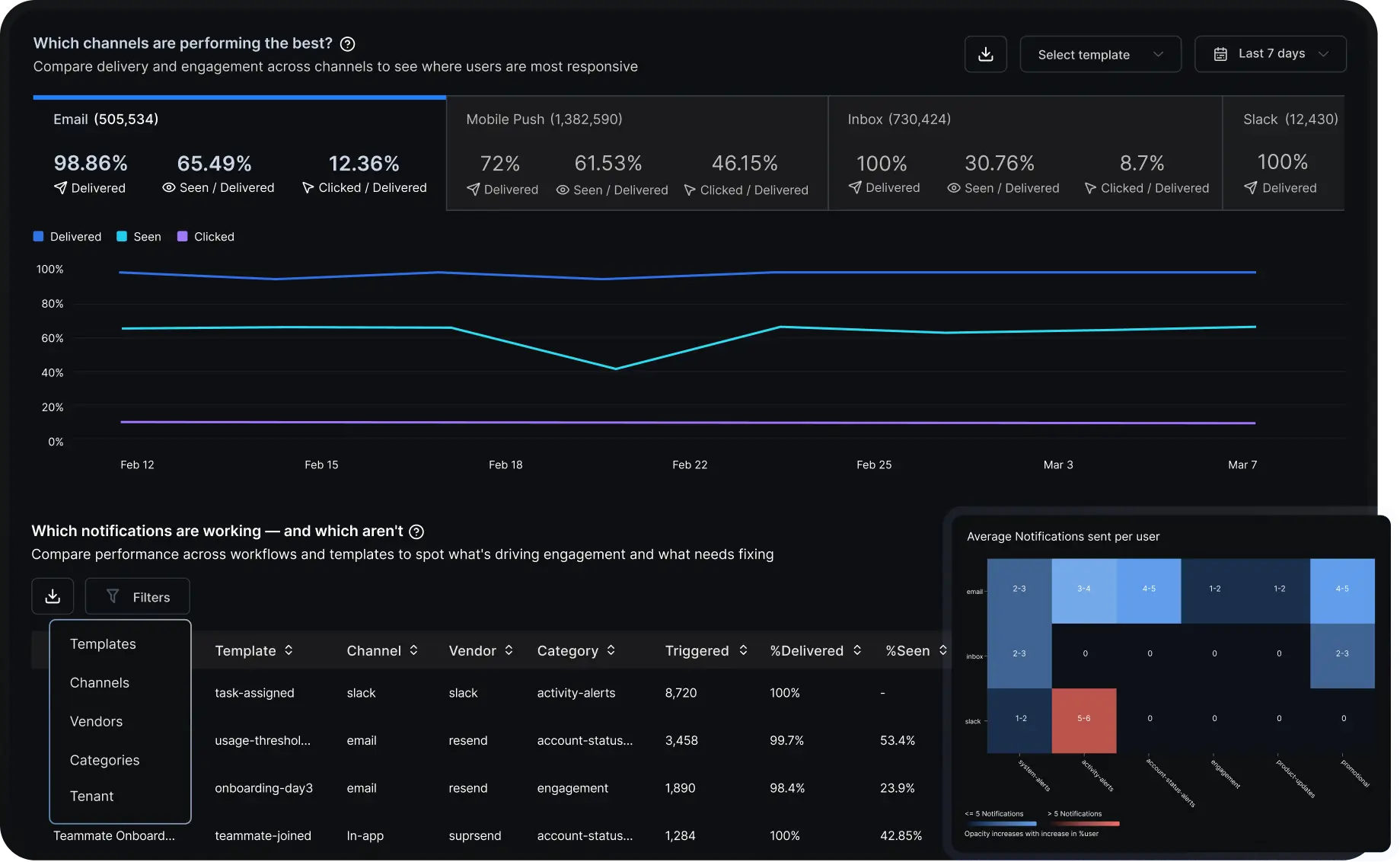
Which channels are performing the best?
.svg)
Compare delivery and engagement across channels to see where users are most responsive

Select template


Last 7 days
Email
(505,534)
98.86%
.svg)
Delivered
65.49%

Seen/Delivered
12.36%

Clicked/Delivered
Mobile Push
(1,382,590)
72%
Delivered
61.53%
Seen/Delivered
46.15%
Clicked/Delivered
inbox
(730,424)
100%

Delivered
30.7%
Seen/Delivered
8.7%
Clicked/Delivered
Slack
(12,430)
100%
Delivered
.webp)
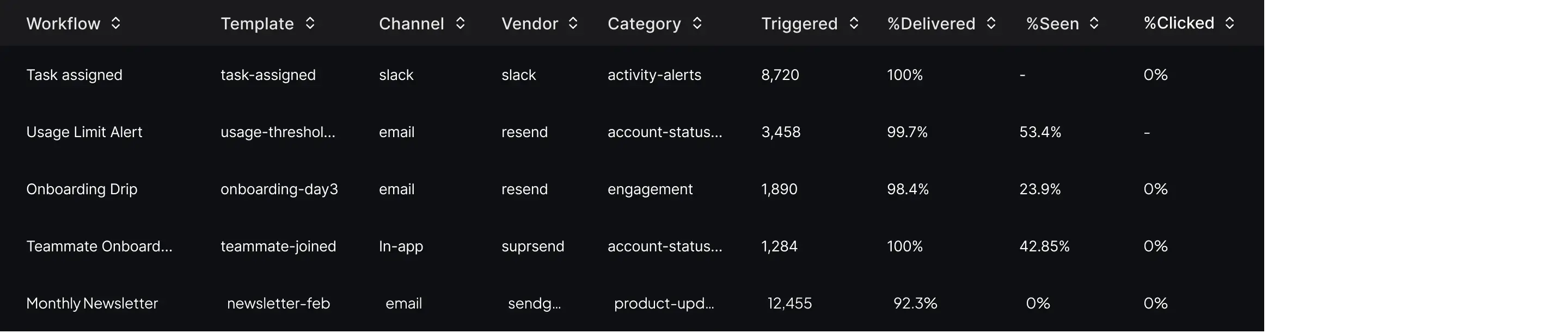
Which notifications are working — and which aren't
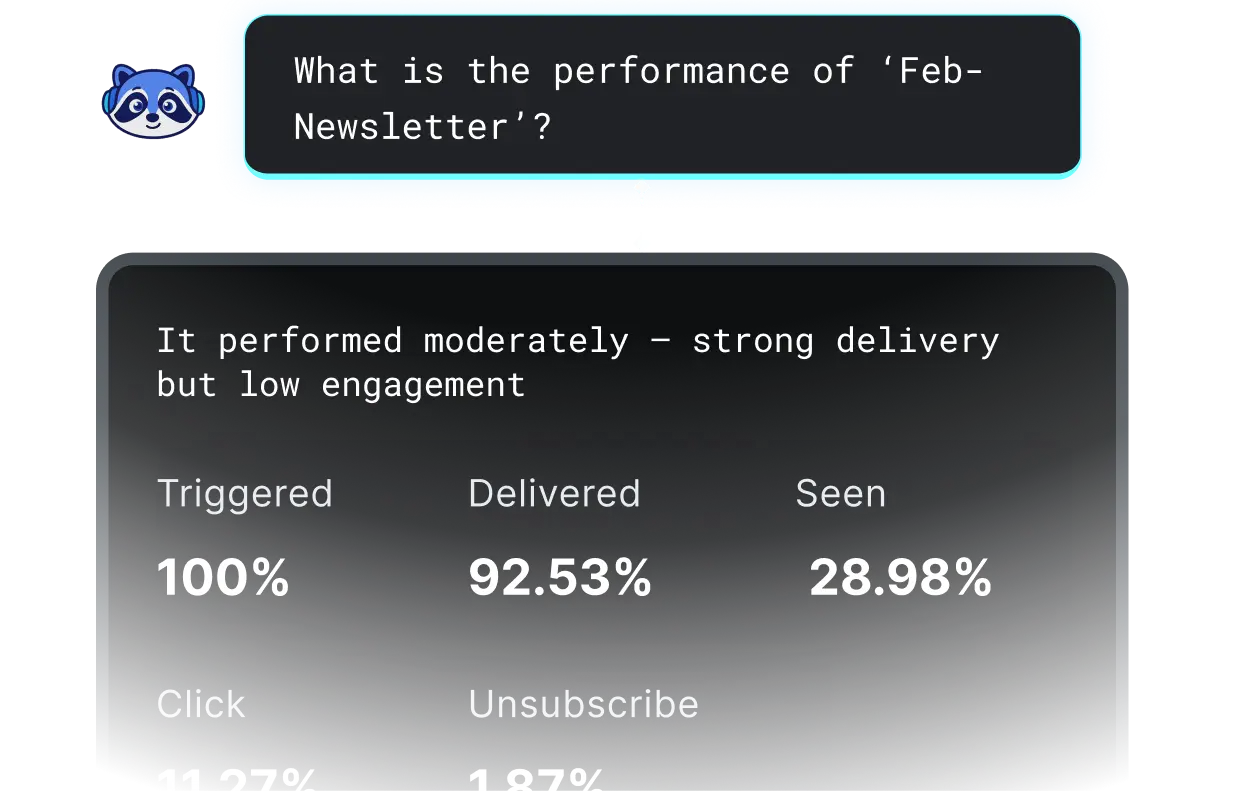
Compare performance across workflows and templates to spot what's driving engagement and what needs fixing

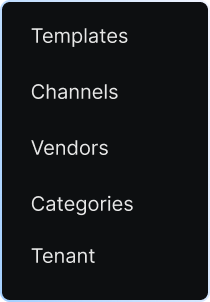
Filters
.webp)
Which notifications are working — and which aren't
Compare performance across workflows and templates to spot what's driving engagement and what needs fixing
Filters
.webp)
Which notifications are working — and which aren't
Compare performance across workflows and templates to spot what's driving engagement and what needs fixing
Filters
.webp)
Which notifications are working — and which aren't
Compare performance across workflows and templates to spot what's driving engagement and what needs fixing
Filters

Turn notification data into better decisions
Know which channels convert, which workflows underperform, and where users disengage — so every notification you send is more intentional.
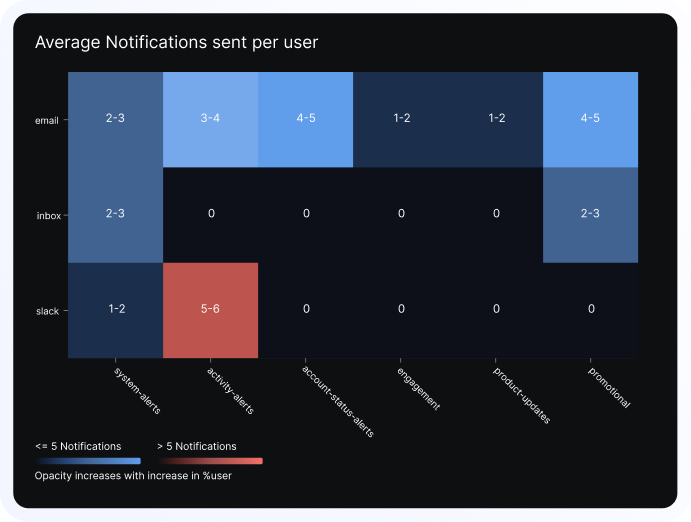
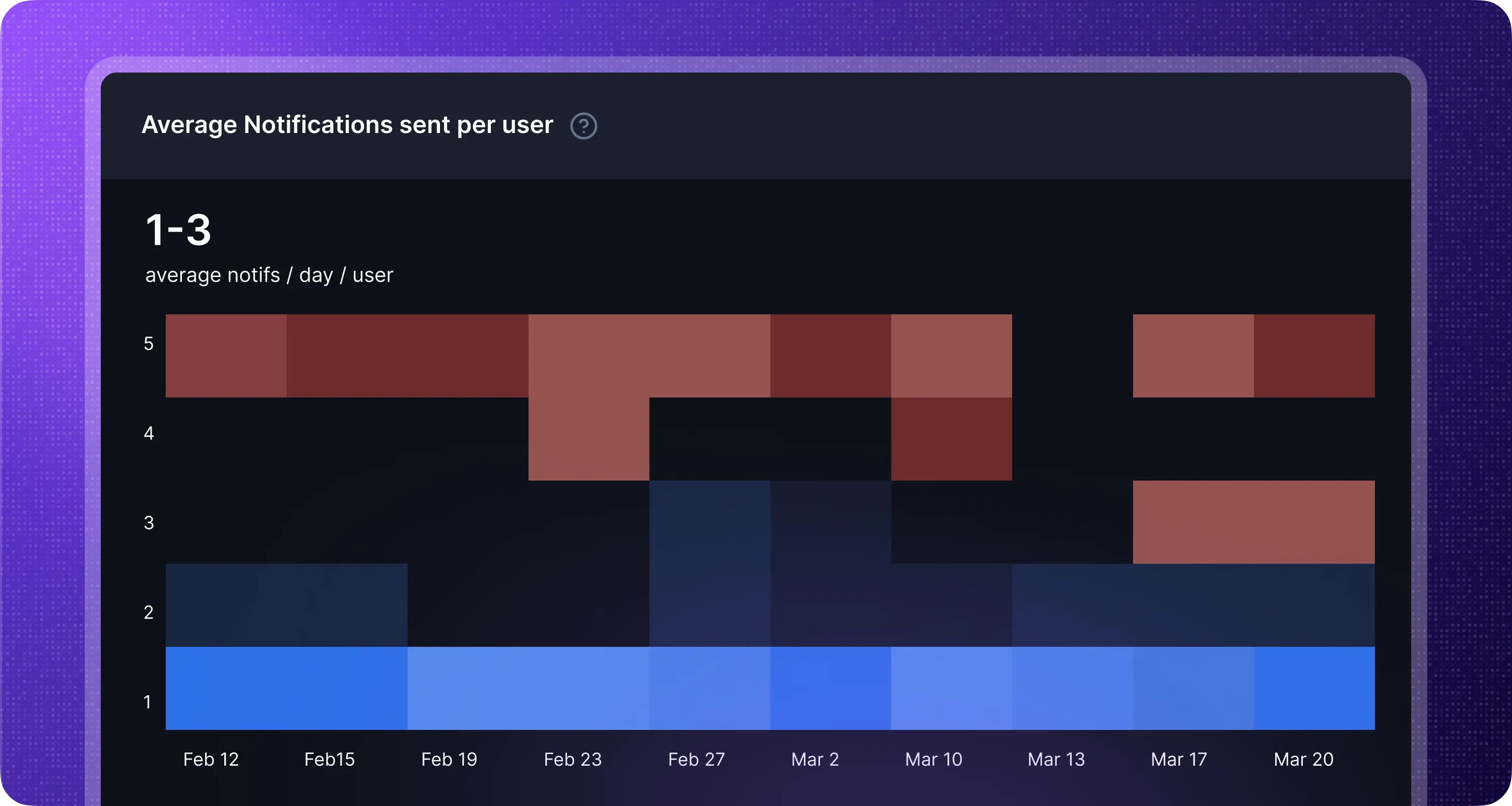
Know when you're sending too many
Detect over-notification before users churn. Surface under-engaged segments before they go quiet.
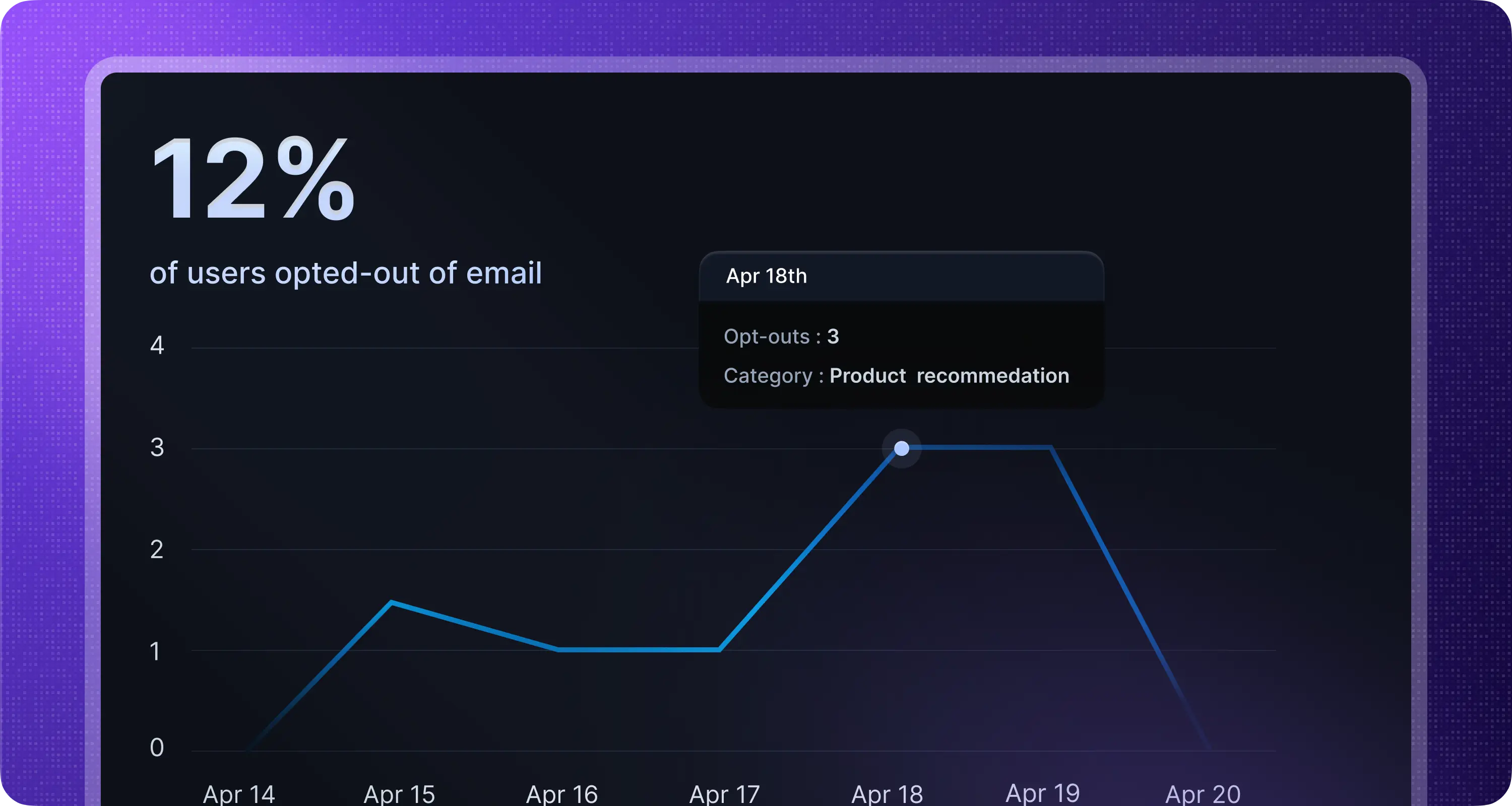
Track where users opt-out
Understand which notifications users are opting out of, and on which channels.
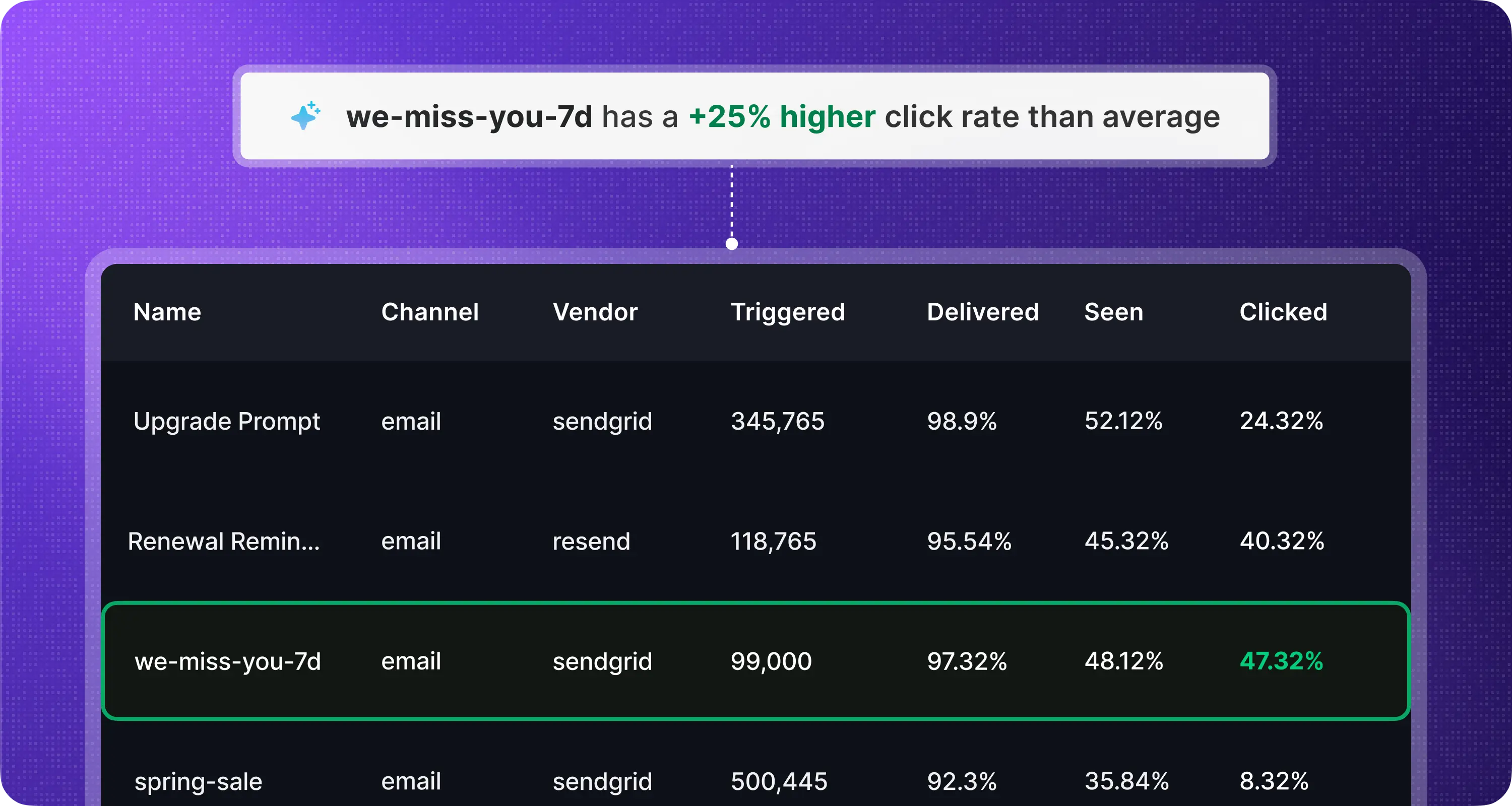
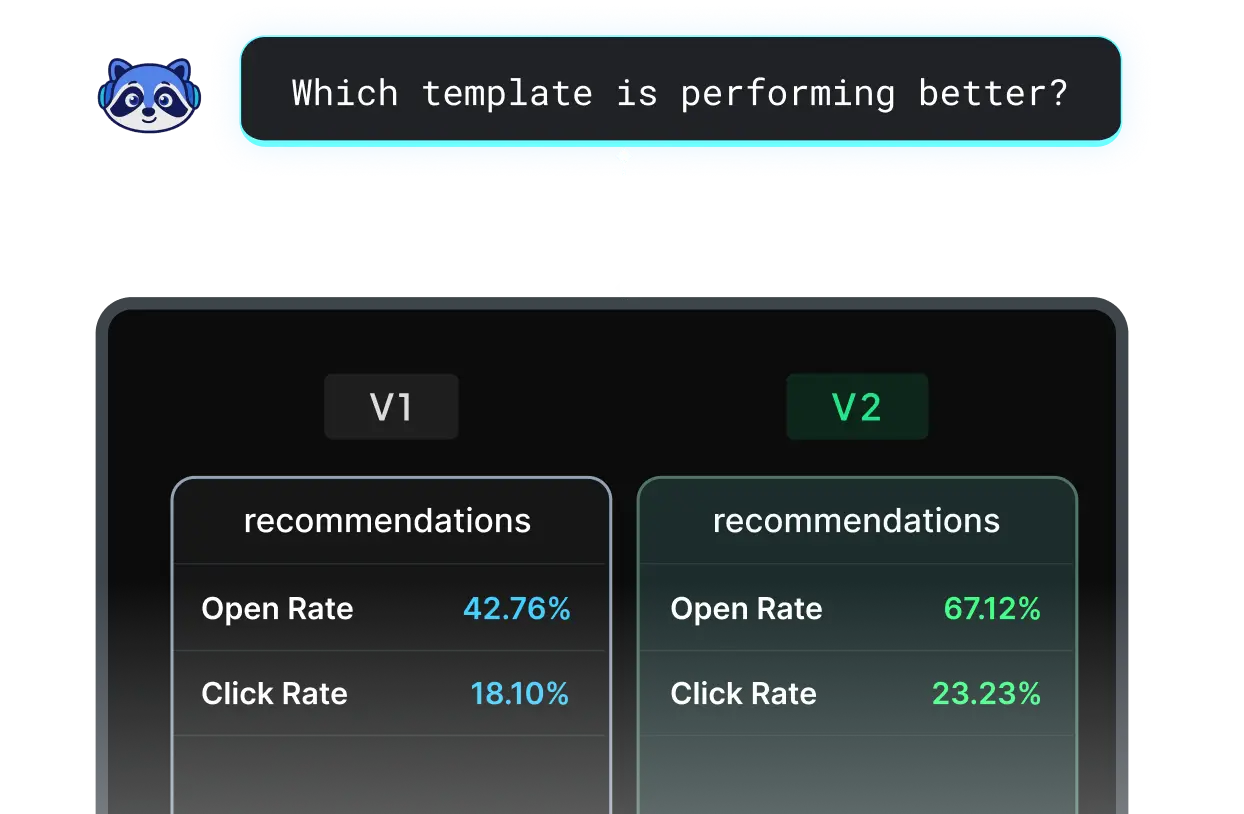
Compare workflows side by side
A/B test notification strategies. See which workflows drive higher seen rates.
.svg)
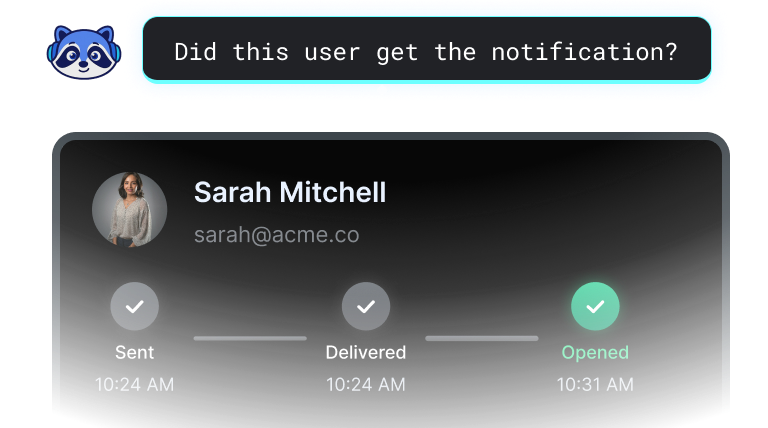
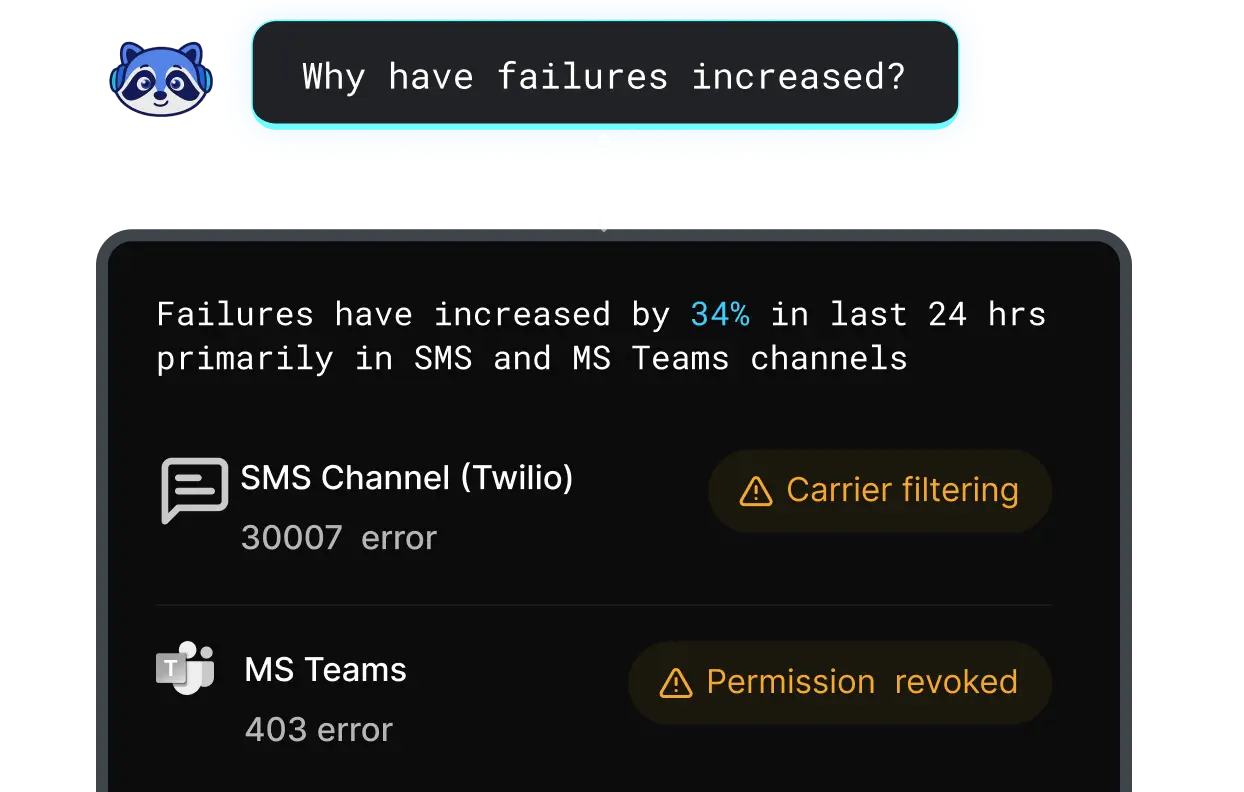
Monitor and debug every notification you send
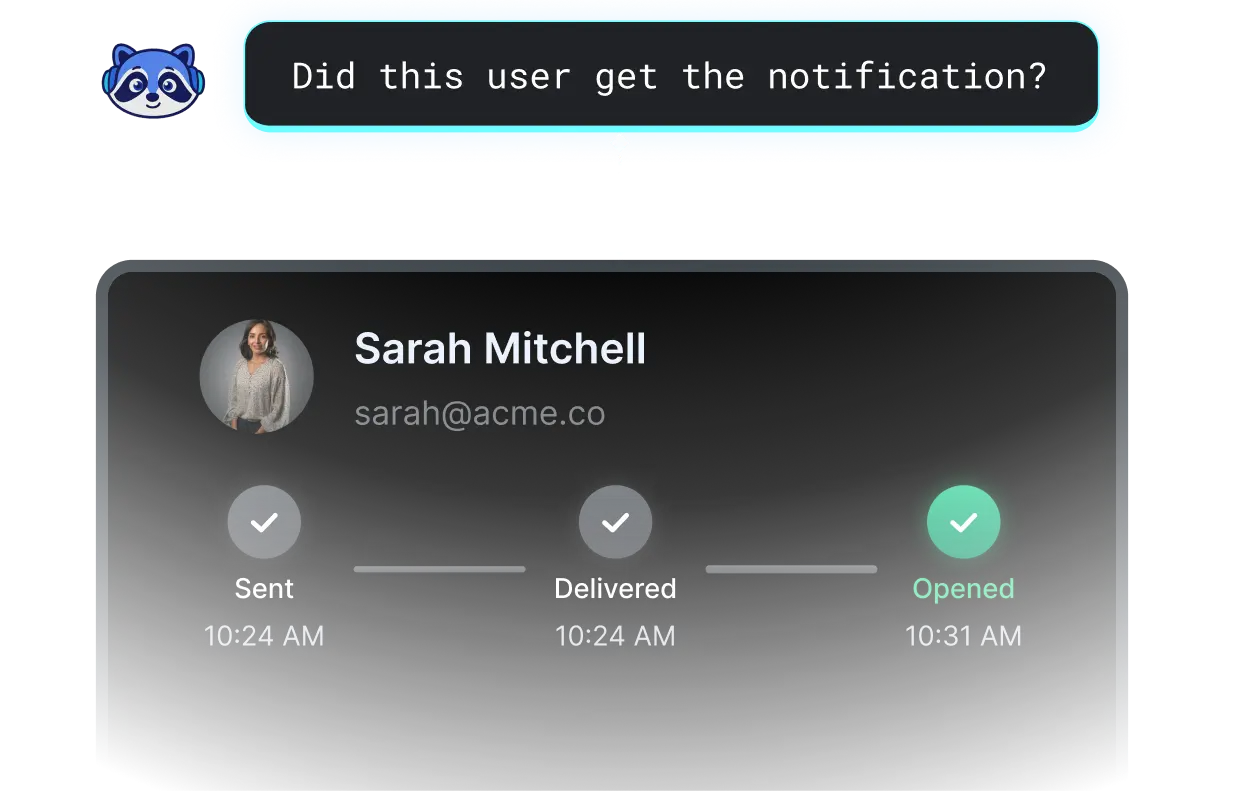
Look up any notification and see exactly what happened — from trigger to delivery, with every step in between.

Trace every notification, step by step
See the exact path a notification took for any user, from trigger to delivery.
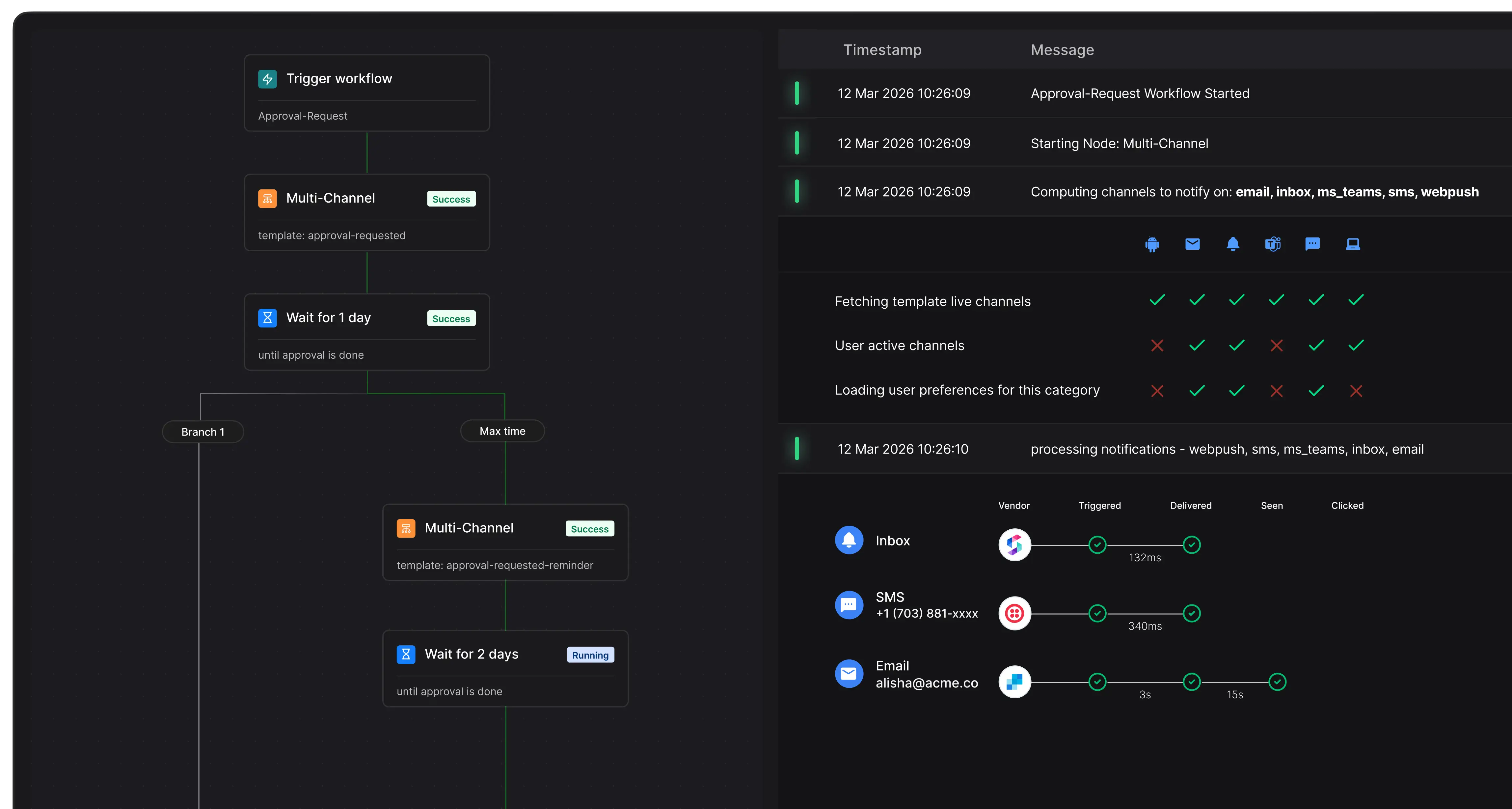

Search across all request and execution logs
Every API call and provider response, searchable by workflow, channel, user, or time range.
.webp)

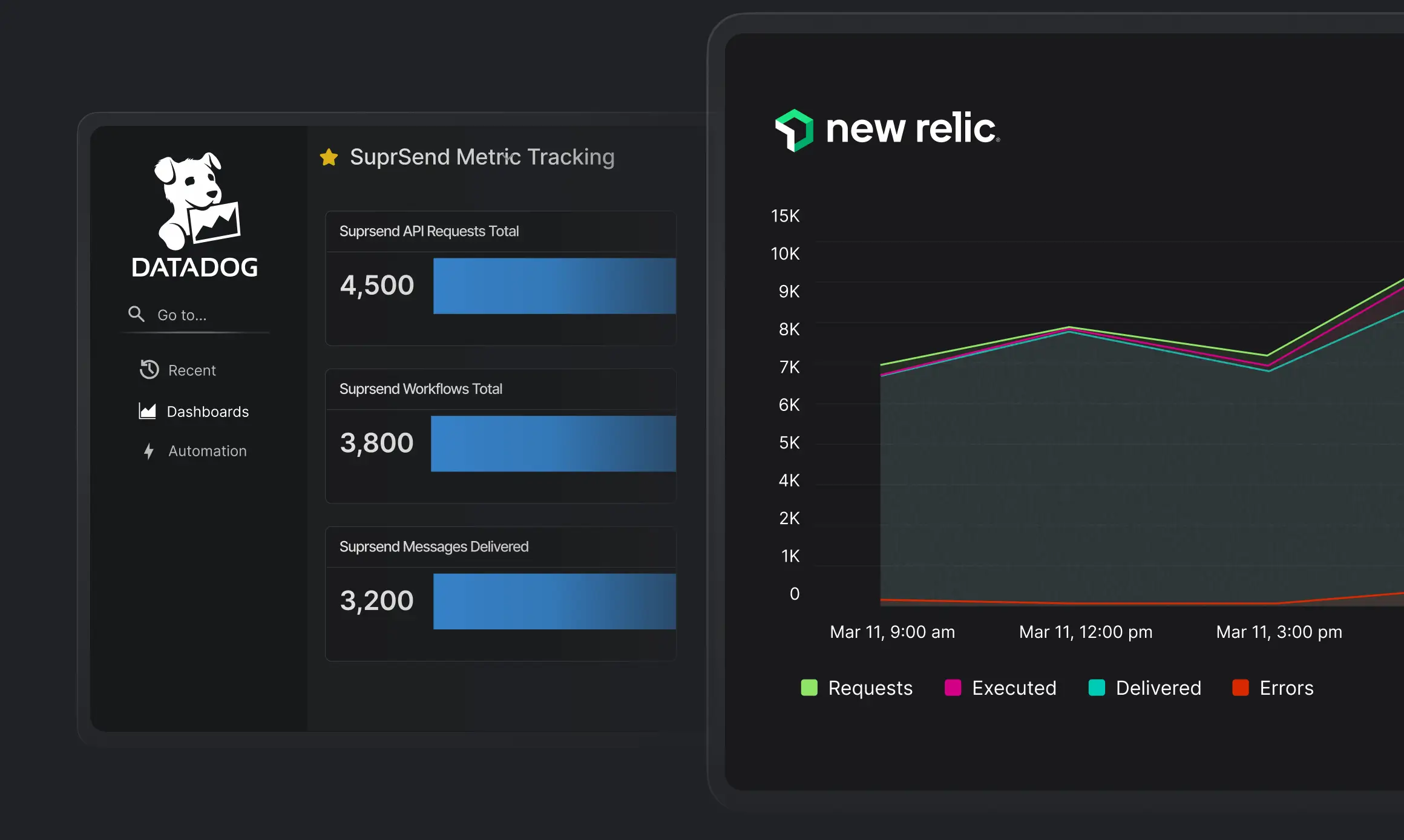
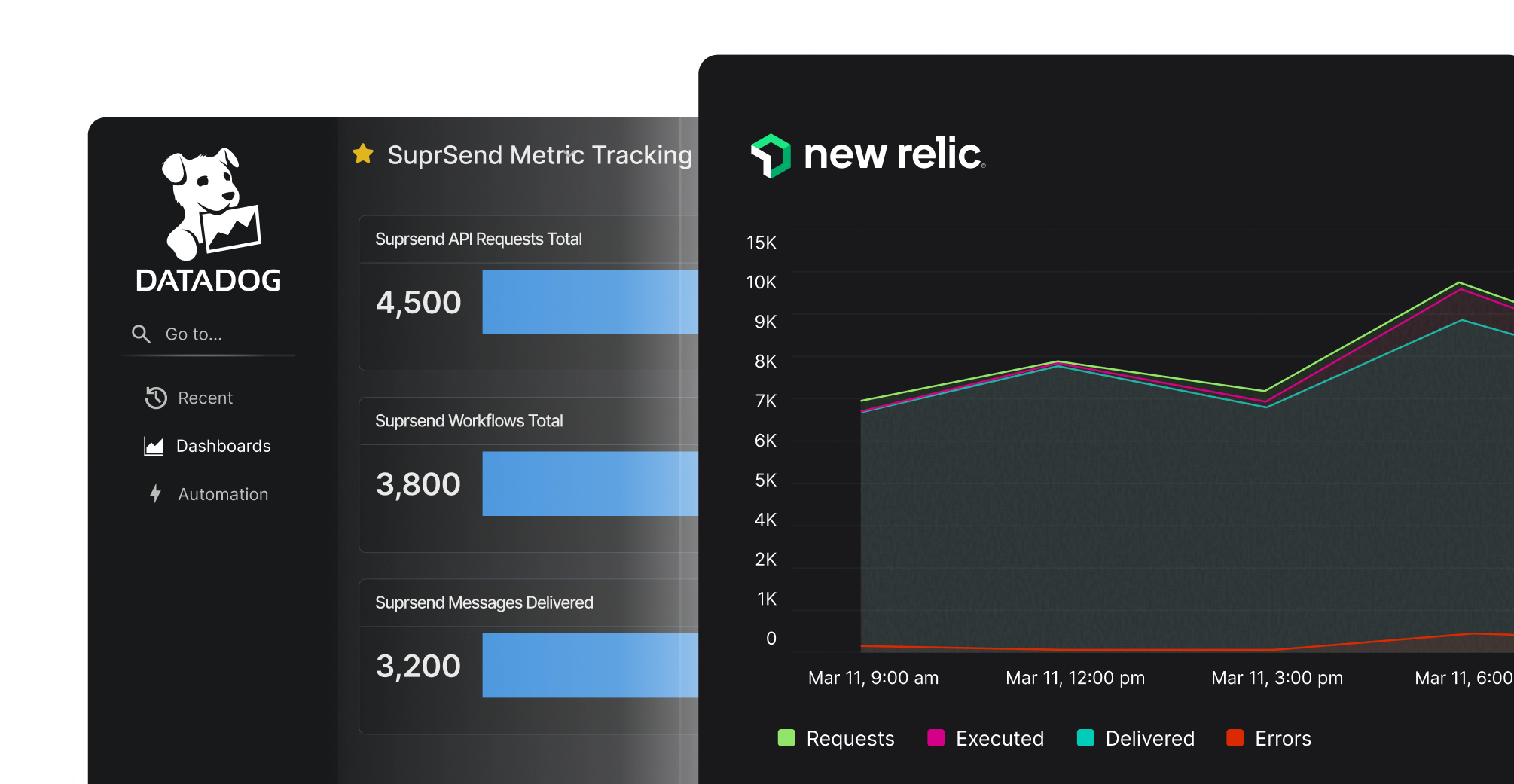
Monitor notification health alongside the rest of your infrastructure
Send delivery metrics, errors, and traces to Datadog, Grafana, or any OTEL-compatible tool, so your team catches issues.

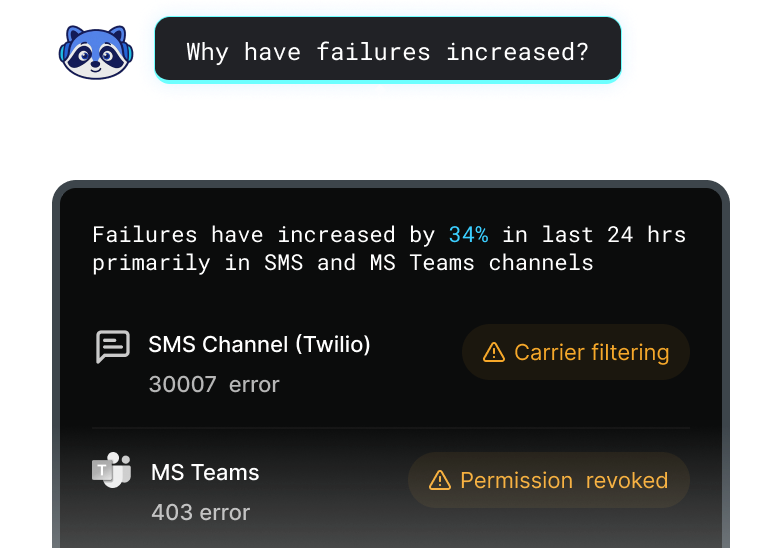
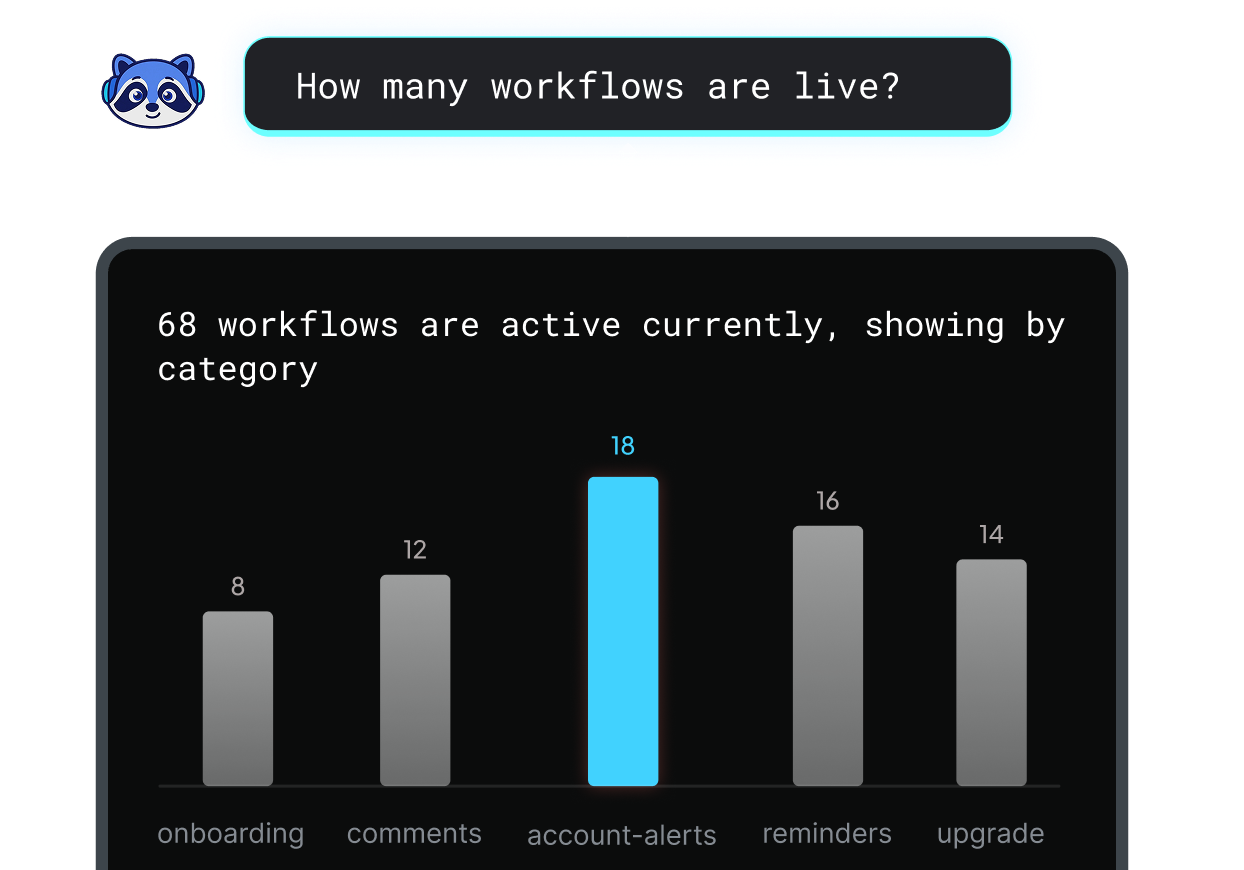
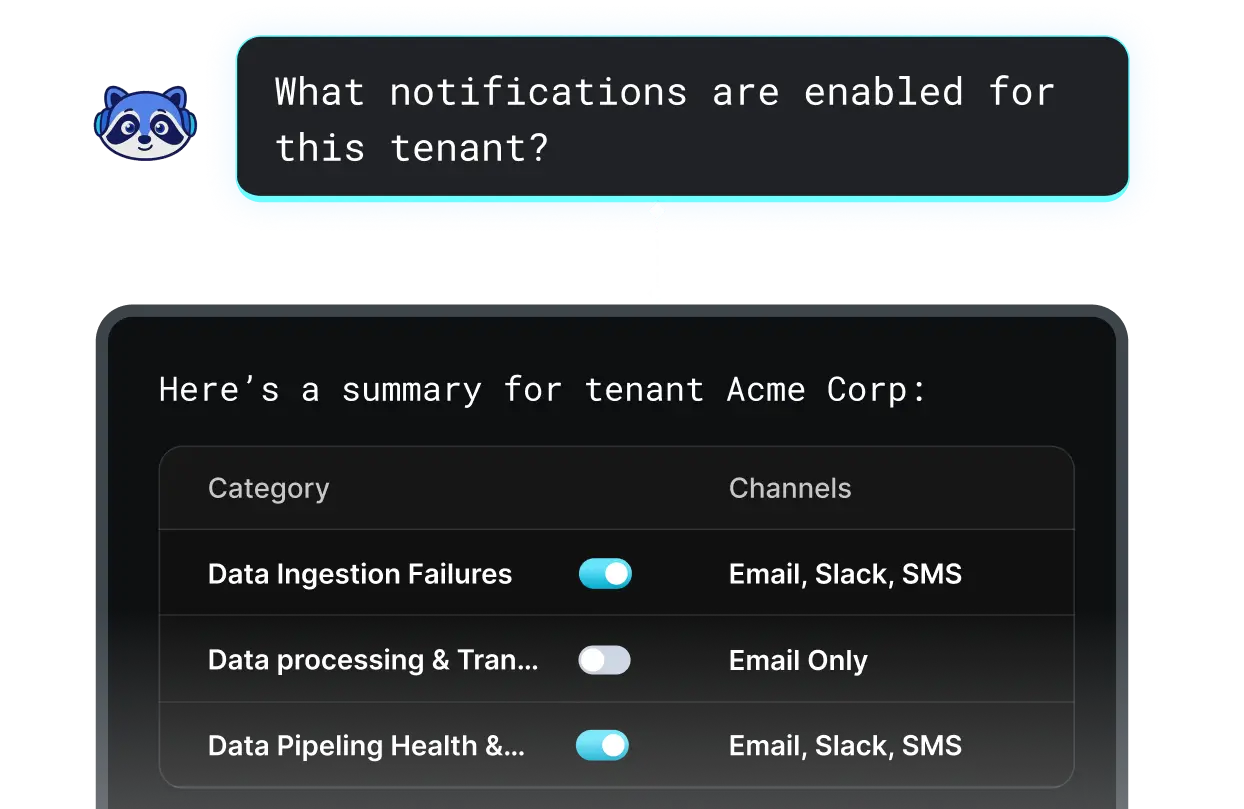
Question you can finally answer
Customer Support
Marketing
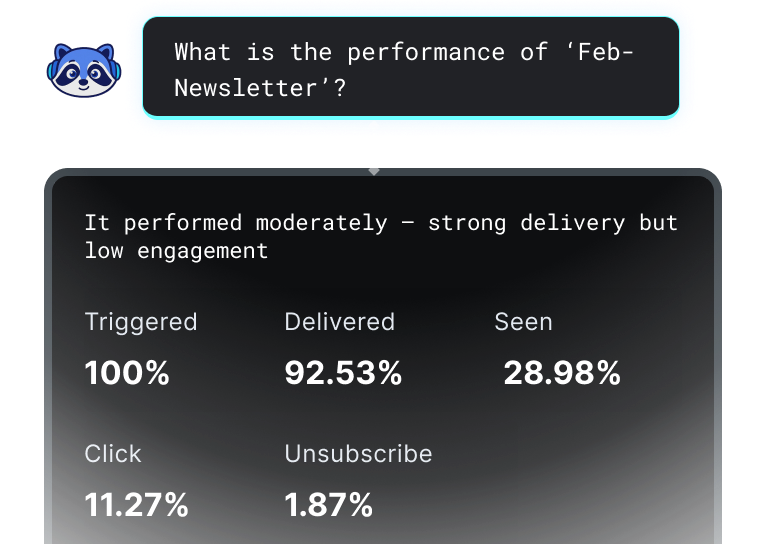
Marketing
Product
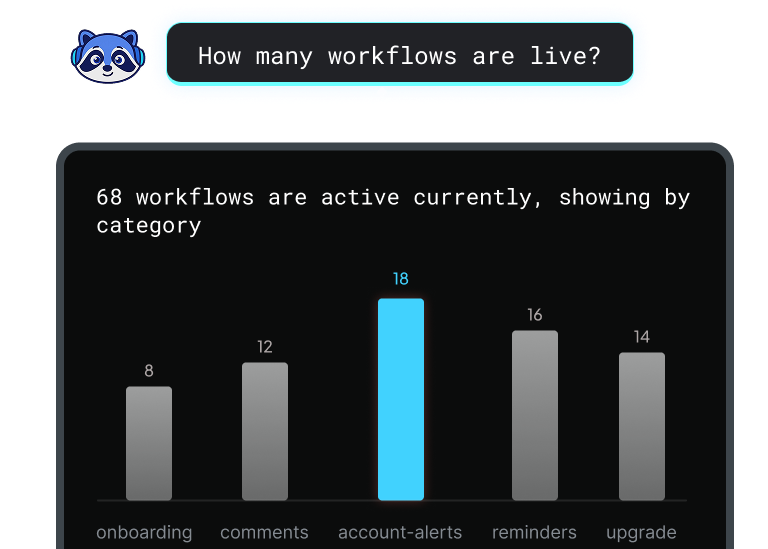
Product
Customer Success
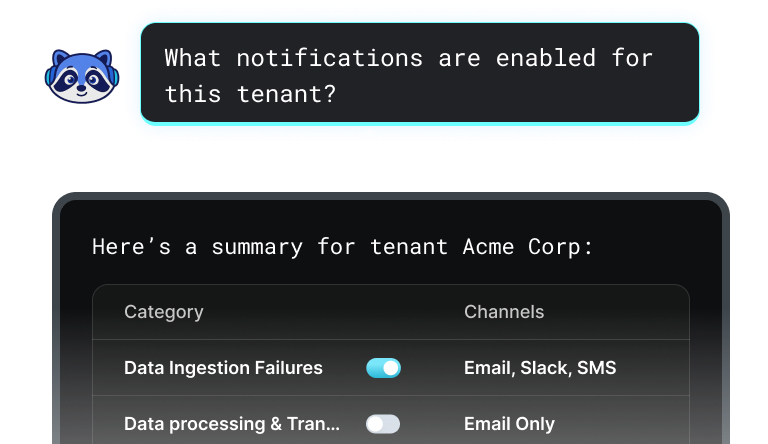
Design
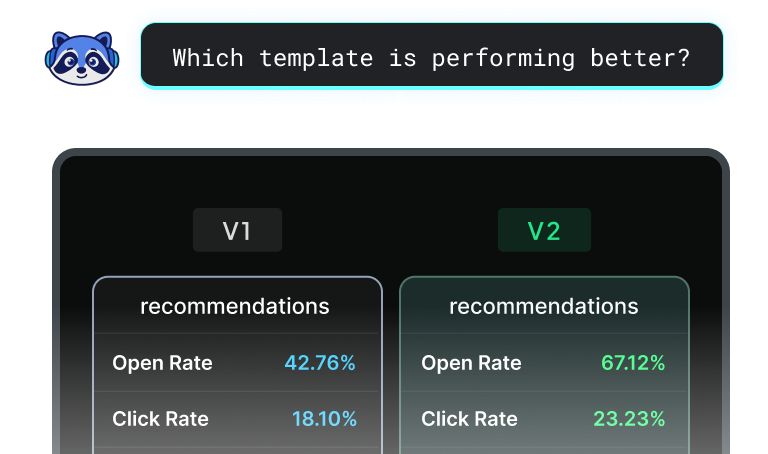
Design
Engineering
Customer Support
Marketing
Product
Customer Success
Design
Engineering

SuprSend's detailed logs and monitoring made it easy to track failed notifications and do root-cause analysis — something we completely lacked before. Our product team can now check notification status, iterate, and experiment without involving devs.
Dinesh Singh
Co-Founder & CTO, Topmate


.svg)
Your data, ready to move where it matters
Stream notification data into your product. Build customer-facing dashboards, store logs for compliance, or connect notification events to business outcomes. Multiple ways to get your data where you need it.

S3 sync
Automatic periodic sync to your S3 bucket or compatible storage.

API
Cross-browser and cross-device synchronisation to keep inbox state always in sync

Webhook
Real-time event delivery to your endpoint for every notification status change.

CSV Downloads
Export reports and logs as CSV.
Filter by date, workflow, channel, and tenants.
Ready to transform your notifications?
Join thousands of product & engineering teams using SuprSend to build and ship better notifications—faster.
Integrate complete notification engine in minutes. Free for your 10,000 monthly notifications. No credit card required
![G2 Easiest To Do Business With Badge - [Winter 2025]](https://cdn.prod.website-files.com/62a87a4ff7326e1bc863e8f3/6a27a8645414689ded02ef93_Notification%20Infrastructure%20Leader%20from%20Hexcode.png)
![G2 Momentum Leader Badge - [Winter 2025]](https://cdn.prod.website-files.com/62a87a4ff7326e1bc863e8f3/6a27a7dfc63a92e9bee4cd04_Email%20Tracking%20from%20Hexcode.png)
![G2 High Performer Badge - [Winter 2025]](https://cdn.prod.website-files.com/62a87a4ff7326e1bc863e8f3/6a27a8364cb71fd13f1b43f4_EmailTracking_HighPerformer_HighPerformer.png)
![G2 Easiest Setup Badge - [Winter 2025]](https://cdn.prod.website-files.com/62a87a4ff7326e1bc863e8f3/6a27a864fe04717322584aec_TransactionalEmail_EasiestSetup_EaseOfSetup.png)
![G2 Easiest Admin Badge - [Winter 2025]](https://cdn.prod.website-files.com/62a87a4ff7326e1bc863e8f3/6a27a86481ee2e9d053316d9_Proactive%20Notification%20Highest%20User%20Adoption.png)

.svg)
.svg)
![CRPA Compliance [In Progress]](https://cdn.prod.website-files.com/62a87a4ff7326e1bc863e8f3/69f895d07b69920c3eb9e886_Medallion%20Frame%20(3).svg)
![ISO Certification [In Progress]](https://cdn.prod.website-files.com/62a87a4ff7326e1bc863e8f3/69f895d13d13d25841325e9f_Medallion%20Frame%20(4).svg)

© 2026 SuprStack Inc. All rights reserved.


.svg)


