
SUPRSEND CLI
Manage & ship notifications like code.
SuprSend CLI automates notification promotion from your terminal, seamlessly integrated into your CI/CD pipeline.
brew install --cask suprsend/tap/suprsend


suprsend sync --from=staging --to=production

synced 24 categories
synced 24 schemas
synced 24 events
synced 24 templates
synced 24 workflows
CLI in Action
Manage notification assets directly from your terminal with simple CLI commands for speed and consistency 🚀

List
View all assets in a given environment
suprsend template list
suprsend workflow list
suprsend category list
suprsend schema list
suprsend translation list

Pull
Fetch assets from any environment into your local repo
suprsend template pull
suprsend workflow pull
suprsend category pull
suprsend schema pull
suprsend translation pull

Push
Deploy updates from your local repo to SuprSend
suprsend template push
suprsend workflow push
suprsend category push

Sync
Keep repos and environments consistent
suprsend sync --assets=all
suprsend sync --assets=template
suprsend sync --assets=workflow

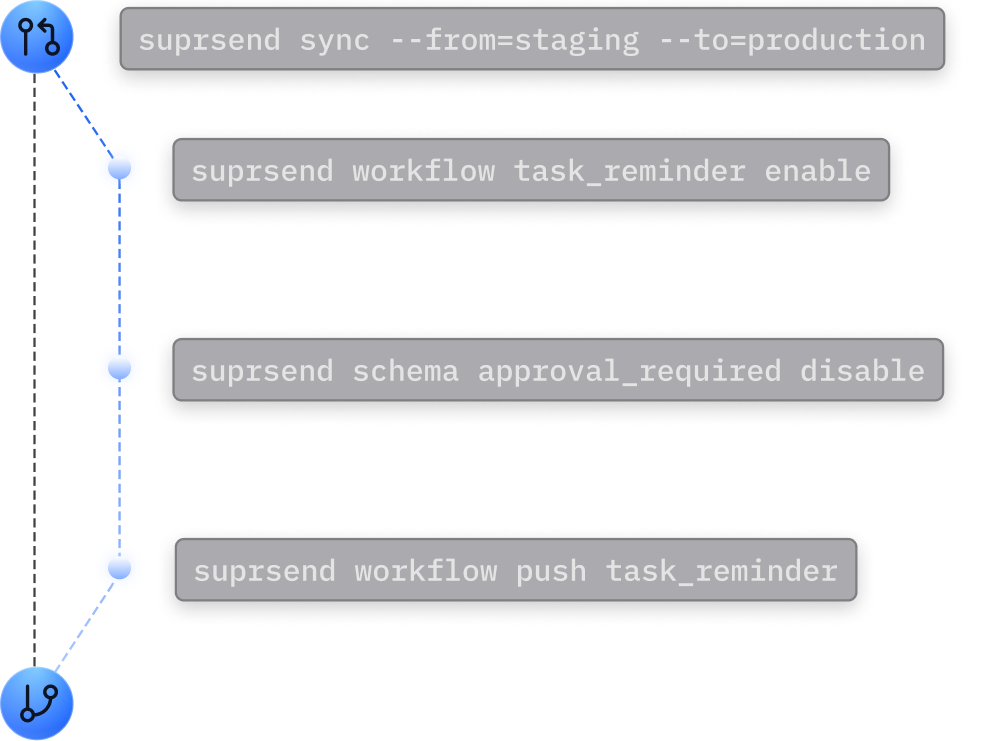
Bring Notifications into your CI/CD Pipeline

Automate promotions as part of your release workflow
Move assets across environments & regions including self-hosted instances
Track changes and roll back with Git-style commits


Built for Developer Experience
Autocompletion for bash, zsh, fish, and PowerShell
Dry runs & previews for safe local testing
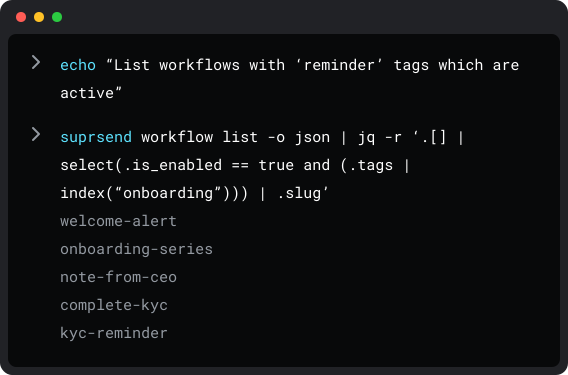
Script-friendly with pipes support for one-off automations
Profile management across projects, environments, and servers
Read CLI Documentation
Generate Type-Safe Models from Schemas
Guarantee type safety when working with templates, workflows & events
Eliminate mismatches by keeping code and schemas always in sync
Auto-generate models from your schemas for all major SDKs

Work in Natural Language with MCP
Start securely with one command. Compatible with Claude, Cursor, and other MCP clients you already use.
Automate notifications in natural language — create, update, manage, query easily.

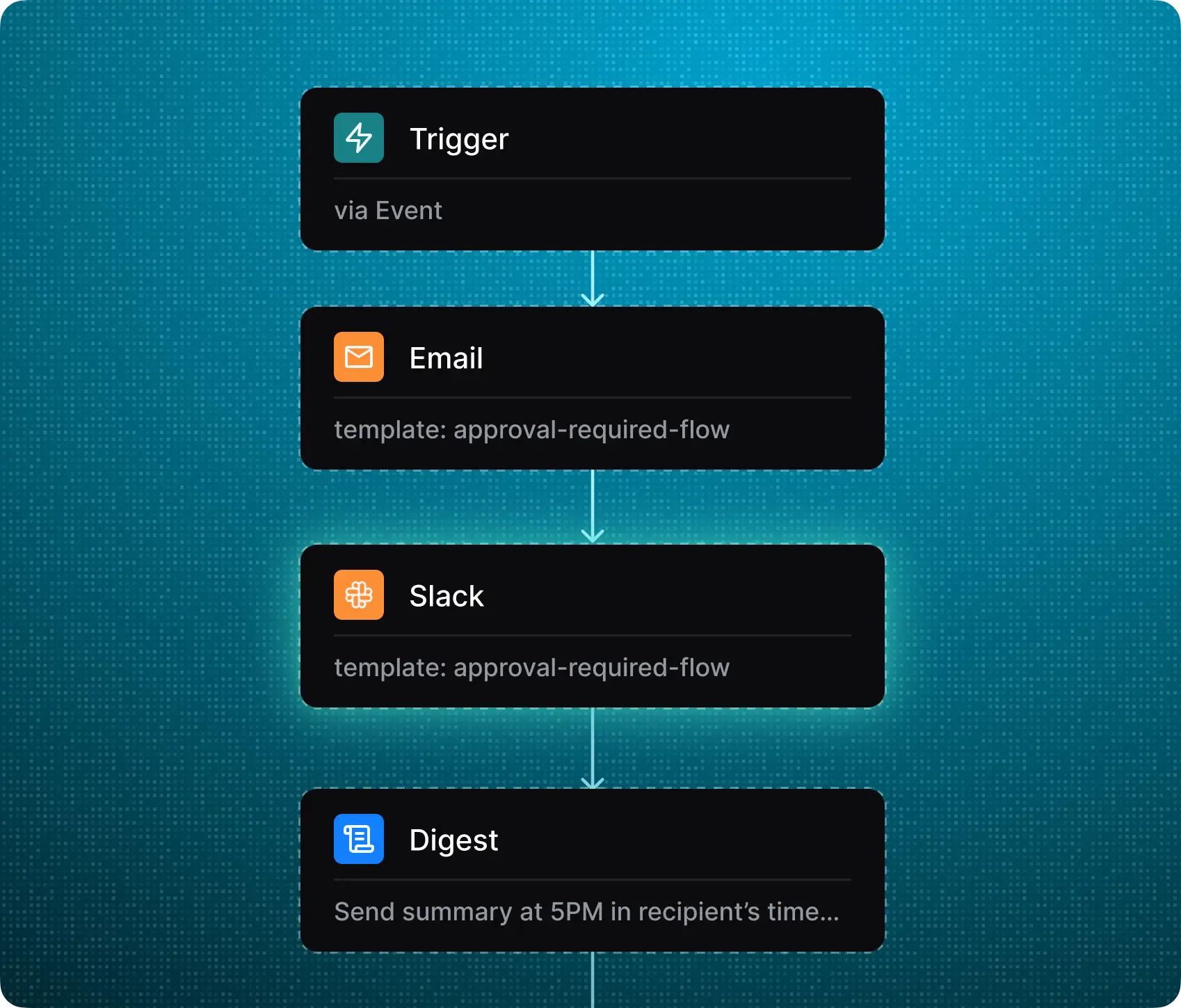
Create an approval workflow - send immediate email & Slack alerts for new requests. Send a summary of all pending requests at 5pm local time. Use the schema @schema/approval_request and brand guidelines for template.

Create an in-app message template for @template/download-ready. Use the content from the email.
Trigger a test workflow for @workflow/comment-made, use the schema associated with it to generate sample payload.
Share all workflows triggered in last 30 days along with their delivery, seen and click rates.


Ready to transform your notifications?
Join thousands of product & engineering teams using SuprSend to build & ship better notifications faster.
![G2 Easiest To Do Business With Badge - [Winter 2025]](https://cdn.prod.website-files.com/62a87a4ff7326e1bc863e8f3/6a27a8645414689ded02ef93_Notification%20Infrastructure%20Leader%20from%20Hexcode.png)
![G2 Momentum Leader Badge - [Winter 2025]](https://cdn.prod.website-files.com/62a87a4ff7326e1bc863e8f3/6a27a7dfc63a92e9bee4cd04_Email%20Tracking%20from%20Hexcode.png)
![G2 High Performer Badge - [Winter 2025]](https://cdn.prod.website-files.com/62a87a4ff7326e1bc863e8f3/6a27a8364cb71fd13f1b43f4_EmailTracking_HighPerformer_HighPerformer.png)
![G2 Easiest Setup Badge - [Winter 2025]](https://cdn.prod.website-files.com/62a87a4ff7326e1bc863e8f3/6a27a864fe04717322584aec_TransactionalEmail_EasiestSetup_EaseOfSetup.png)

![G2 Easiest Admin Badge - [Winter 2025]](https://cdn.prod.website-files.com/62a87a4ff7326e1bc863e8f3/6a27a86481ee2e9d053316d9_Proactive%20Notification%20Highest%20User%20Adoption.png)

.svg)
.svg)
![CRPA Compliance [In Progress]](https://cdn.prod.website-files.com/62a87a4ff7326e1bc863e8f3/69f895d07b69920c3eb9e886_Medallion%20Frame%20(3).svg)
![ISO Certification [In Progress]](https://cdn.prod.website-files.com/62a87a4ff7326e1bc863e8f3/69f895d13d13d25841325e9f_Medallion%20Frame%20(4).svg)

© 2026 SuprStack Inc. All rights reserved.


.svg)


